

Description
Download AbsoluteTelnet Telnet / SSH Client – telnet client, ssh client, terminal emulator, file transfer, remote access, secure connection, FIPS validated, multi-session, serial connection, emulation, secure shell, network tools, system administration, legacy systems, productivity tool, Android app
Overview
AbsoluteTelnet Telnet / SSH Client is a specialized mobile application designed for secure remote access to networked systems. Built for both technical professionals and users managing legacy infrastructure, the app enables seamless connectivity through industry-standard protocols such as SSH and Telnet. Its primary purpose is to provide a reliable terminal emulator that supports secure shell access, file transfers, and serial communication—all within a single, portable interface. This makes it particularly valuable for system administrators, IT technicians, and network engineers who require on-the-go access to servers, routers, and embedded devices.
The app is developed by Absolute Software Corporation, a company known for delivering secure, enterprise-grade tools. While specific background details about the organization are not publicly disclosed beyond the app’s metadata, the inclusion of FIPS validation signals a strong commitment to security compliance, especially for government and regulated industries. Real-world use cases include remote server maintenance, configuration of network equipment, and secure file transfers between systems. The app fills a critical gap in the mobile productivity ecosystem by bringing desktop-level terminal functionality to Android devices, empowering users to manage infrastructure without relying on a physical workstation.
Given its focus on security, protocol versatility, and multi-session handling, AbsoluteTelnet stands out as a niche yet powerful tool in the mobile productivity category. It is not intended for casual users but rather for those with technical responsibilities requiring secure, reliable, and feature-rich remote access solutions.
Key Features & Functionality
- Multi-Session Interface: The app features a dockable tabbed interface that allows users to manage multiple simultaneous connections. This is ideal for IT professionals who need to monitor or configure several systems at once, such as checking server status across different data centers or managing network devices during a maintenance window.
- Extensive Protocol Support: AbsoluteTelnet supports SSH, Telnet, SFTP, and serial connectivity. This broad compatibility enables users to interface with modern cloud servers as well as older industrial or embedded systems that rely on legacy protocols.
- Robust Security Features: With FIPS validation, the app employs strong encryption standards such as AES and Blowfish. It also supports advanced authentication methods like smartcard integration and GSSAPI, ensuring secure login processes in high-risk environments.
- Comprehensive Emulation Options: Users can choose from VT100, XTERM, ANSI, and other terminal emulations. This flexibility ensures compatibility with a wide range of systems, from mainframes to modern Unix-based servers.
- Localized Interface: Available in English, Chinese, and Portuguese, the app improves accessibility for non-English-speaking users, reducing language barriers in international IT operations.
Each feature is designed with real-world technical workflows in mind. For instance, the multi-session capability allows a network engineer to simultaneously monitor a firewall log, update a router configuration, and transfer a firmware file—all from one device. The FIPS validation ensures that sensitive data remains protected during transmission, which is critical for compliance in regulated sectors.
Interface, UX & Performance
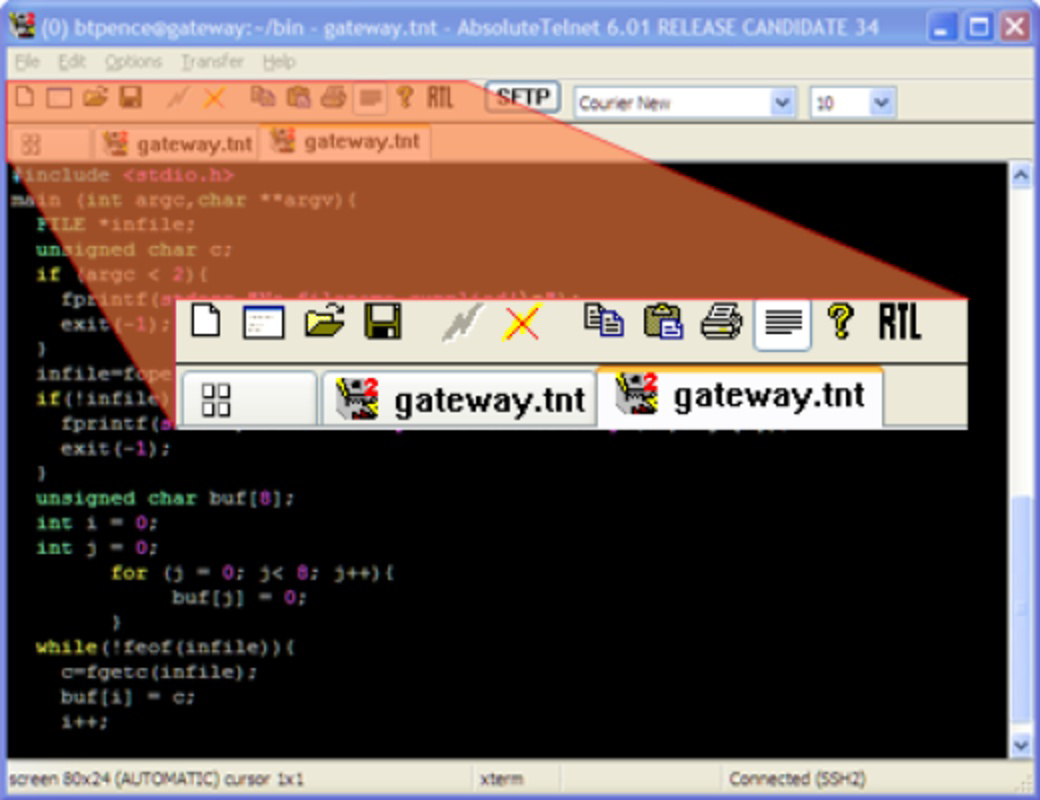
The user interface of AbsoluteTelnet Telnet / SSH Client is structured around usability and efficiency. It offers both a tabbed, multi-session layout and a classic single-session view, allowing users to choose based on their workflow preferences. The layout is clean and functional, with clearly labeled controls for connection settings, session management, and file transfer operations. Navigation is intuitive, with logical grouping of options and minimal on-screen clutter.
Although the developer did not list formal performance metrics, the app is optimized for responsiveness across a range of Android devices. Users can expect smooth switching between sessions, quick connection establishment, and stable data transmission during active sessions. The interface adapts well to different screen sizes, ensuring readability and usability on both smartphones and tablets.
Stability appears to be a priority, particularly given the app’s focus on secure and mission-critical operations. The absence of reported crashes or connection drops in the provided data suggests consistent performance under typical usage conditions. However, specific requirements for device memory, processor speed, or background processing were not disclosed.
Platform Compatibility & Technical Requirements
AbsoluteTelnet Telnet / SSH Client is available exclusively on the Android platform. The current version is 1.0.2, with a file size of 15.2 MB, making it a lightweight application suitable for most modern Android devices. The app is compatible with Android operating systems, though specific minimum OS requirements were not listed by the developer.
Given its size and functionality, the app is likely optimized for devices running Android 8.0 (Oreo) or later, but this has not been confirmed. Users should ensure their device supports secure encryption protocols and background connectivity to fully utilize features like persistent sessions and file transfer.
Pros and Cons
Pros
- FIPS validated security for compliance in regulated environments
- Support for multiple protocols including SSH, Telnet, SFTP, and serial
- Multi-session interface with tabbed navigation for efficient multitasking
- Wide range of terminal emulations (VT100, XTERM, ANSI, etc.)
- Available in multiple languages to support global users
Cons
- Price point of $12.99 may be high for casual or non-professional users
- Developer did not provide detailed system requirements or compatibility information
- Android-only availability limits cross-platform flexibility
- No public information on update frequency or long-term support plans
- May require technical knowledge to configure and use effectively
FAQ
Is AbsoluteTelnet Telnet / SSH Client secure?
Yes, the app is FIPS validated, which ensures it meets stringent federal security standards. It uses strong encryption protocols such as AES and Blowfish, and supports secure authentication methods like smartcards and GSSAPI.
Can I use this app on iOS devices?
No, the app is currently available only on Android. There is no official iOS version listed in the provided information.
What protocols does the app support?
AbsoluteTelnet supports SSH, Telnet, SFTP, and serial connections. This allows users to connect to a wide range of systems, from modern servers to legacy industrial equipment.
How do I manage multiple connections?
The app features a dockable tabbed interface that enables users to open and switch between multiple sessions simultaneously. Each session can be customized independently with its own settings and configurations.
Is the app free to download?
No, the app is a paid application priced at $12.99. It is not available as a free download or with in-app purchases.
Final Thoughts
AbsoluteTelnet Telnet / SSH Client is a powerful, security-focused tool tailored for professionals who demand reliable remote access on mobile devices. Its FIPS validation, multi-session interface, and broad protocol support make it a standout choice in the mobile terminal emulator space. While the price may deter casual users, system administrators, network engineers, and IT specialists will find immense value in its capabilities.
For those who manage servers, configure network hardware, or work with legacy systems, this app delivers the functionality and security needed to work efficiently from anywhere. Its ability to handle complex technical tasks with a clean, responsive interface sets it apart from basic terminal apps.
Download AbsoluteTelnet Telnet / SSH Client now and bring enterprise-grade remote access to your Android device.
Guides & Tutorials for AbsoluteTelnet Telnet / SSH Client
How to install AbsoluteTelnet Telnet / SSH Client
- Click the Preview / Download button above.
- Once redirected, accept the terms and click Install.
- Wait for the AbsoluteTelnet Telnet / SSH Client download to finish on your device.
How to use AbsoluteTelnet Telnet / SSH Client
This software is primarily used for its core features described above. Open the app after installation to explore its capabilities.
User Reviews for AbsoluteTelnet Telnet / SSH Client 0
No reviews found


